A community, hosted by its members.
Every member can host. If the owner goes offline, another member takes over — the community stays up. Peers connect directly; the relay only steps in when networks get in the way.
direct via relay
disquisition is a desktop community app with text channels, voice, and screen sharing you can draw on together. Communities are hosted by their members — no central server, no feed, no algorithm.
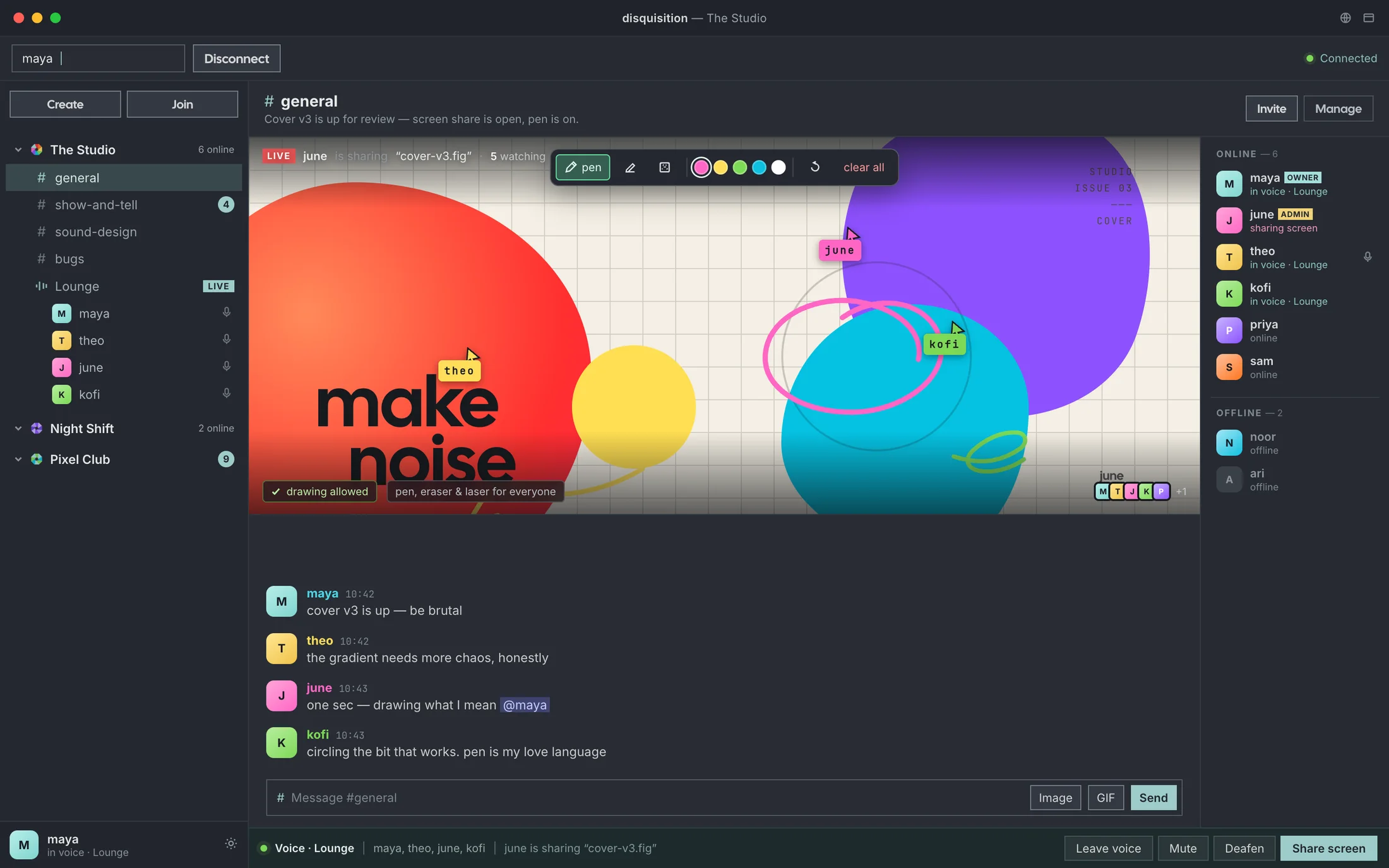
Text, voice, screen sharing, and all the little things that make a group feel like a place — without a feed, an algorithm, or an account in the middle.
Every member can host. If the owner goes offline, another member takes over — the community stays up. Peers connect directly; the relay only steps in when networks get in the way.
Drop into a channel, share a screen, and nudge anyone's volume without leaving the conversation. No call links, no waiting rooms.
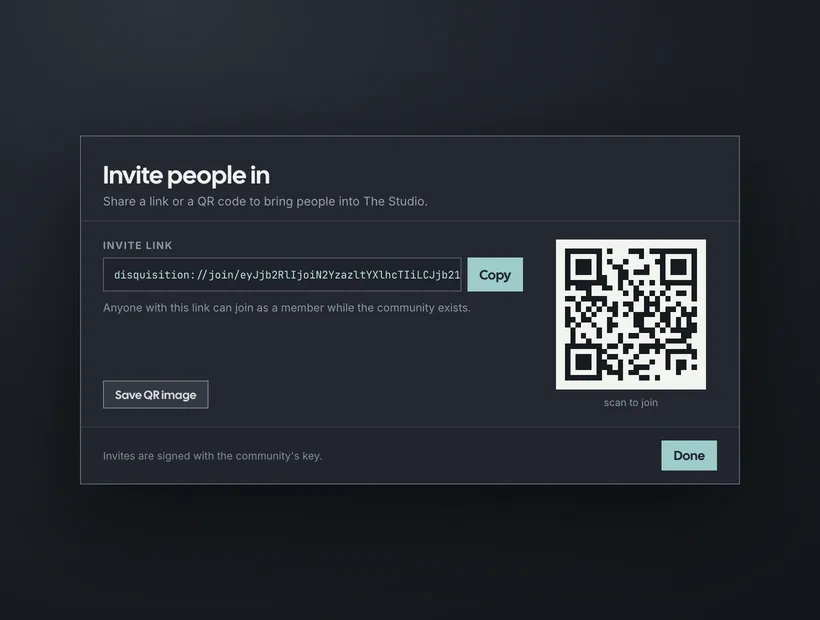
One link or QR code. No accounts, no onboarding funnel. The community decides who can join, invite others, and draw on shares.
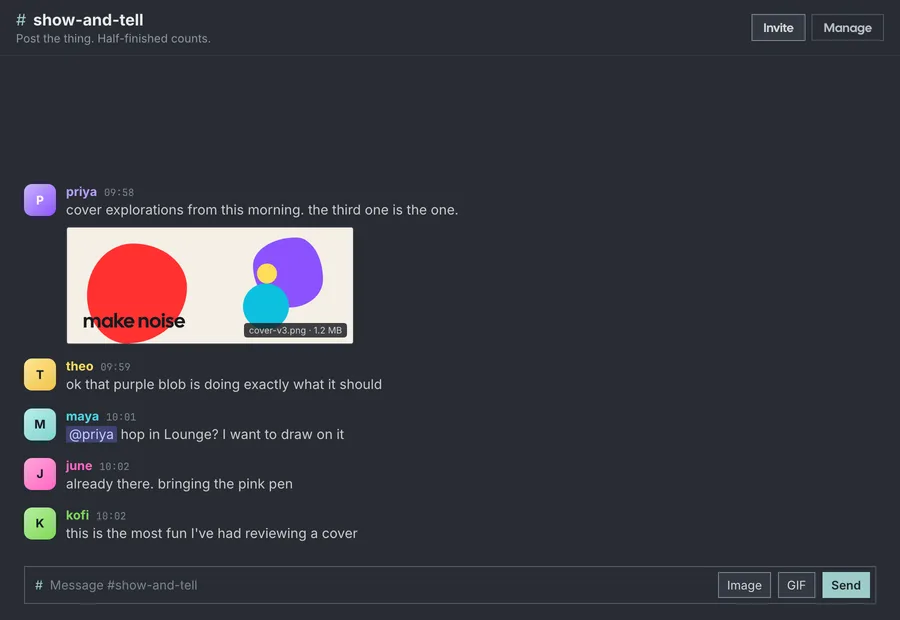
Colored names, mentions, images, GIFs, and profiles. Messages are live by default; save them to a local file on your own device when you want a record.
Turn on drawing for a share and everyone watching can point, circle, underline, and erase — each stroke in their chat color, with their name at the cursor.
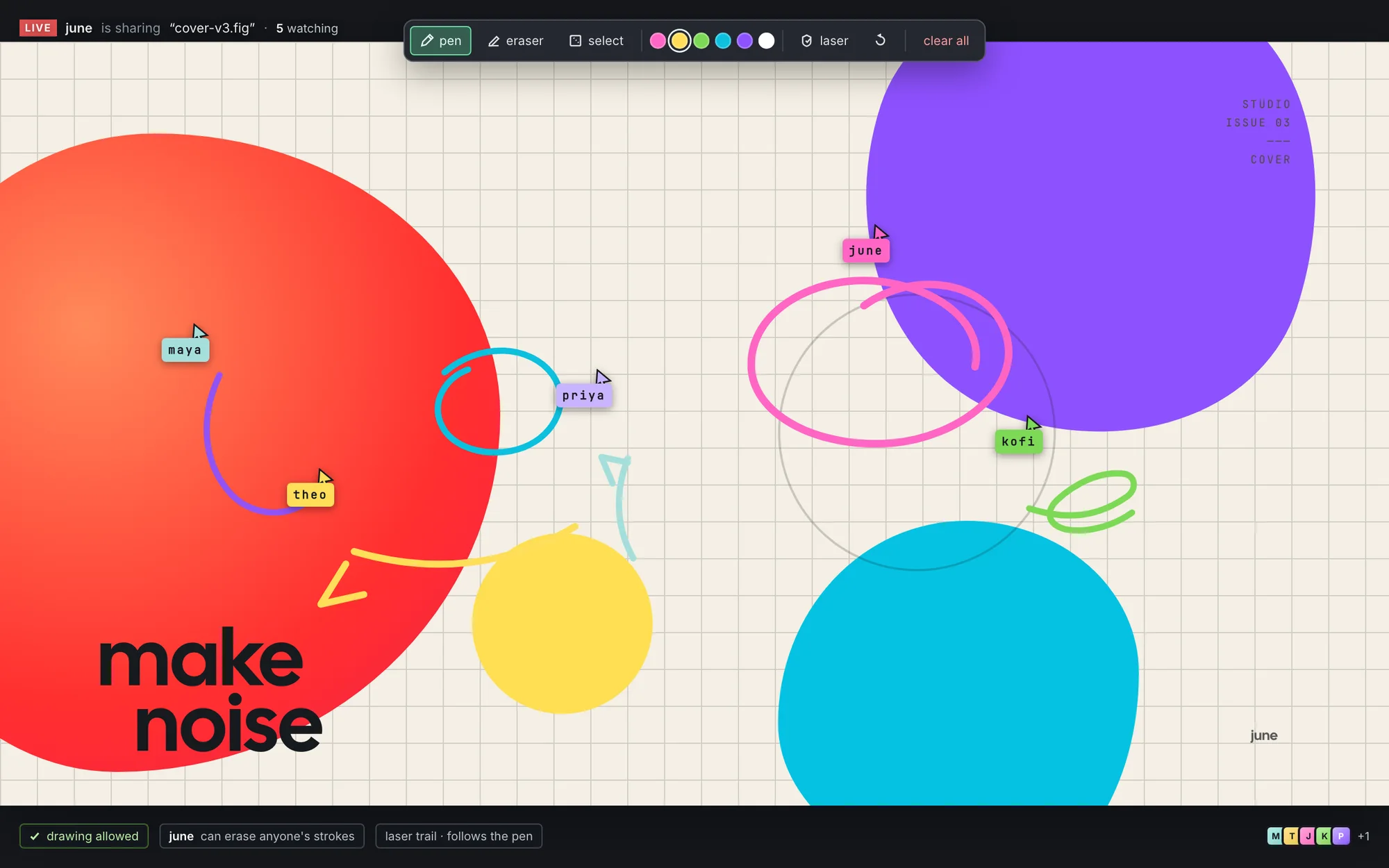
Everyone watching gets a pen, eraser, and laser. Erase a whole stroke, undo your last line, or use the laser when you just need to point.
Each stroke uses your chat color, and a name tag follows the tip until you stop. Ink stays aligned when the video resizes or goes fullscreen.
Drawing starts off for every share. The sharer can ban a pen mid-stream, clear everything, or turn it off — the ink clears when the share ends.
Communities live on member devices. Peers connect with authenticated TLS and signed metadata, and the relay only forwards encrypted traffic when a direct connection isn't possible.
No feed.
No algorithm.
No account.
Just your people, on your devices. Built in the open — read every line on GitHub.
Free and open source. Pick your platform, open the app, pick a name, then create a community or join with an invite.
Already have the app? Hop into a community of people building software — no sign-up, just the invite.